Wayfarer
Wayfarer is a fictional travel discovery platform designed to help curious travellers find destinations that match their interests. Rather than selling trips or flights, Wayfarer acts as a research tool that recommends unique places and experiences using AI.
This project focused primarily on UI design, layout systems, and responsive design. The goal was to redesign Wayfarer’s homepage and create a visual language that captures a sense of wanderlust while improving clarity and usability.
Role(s)
UI Designer
Duration
3 months
Skillset
Tools
Creating a Homepage That Sparks Curiosity
The Challenge
Wayfarer’s existing homepage lacked visual hierarchy and felt difficult to navigate. The layout didn’t effectively showcase destinations or inspire users to explore.
The challenge was to redesign the homepage to:
Create a clearer layout using grid systems
Build a cohesive visual style
Highlight destinations in a visually engaging way
Ensure the design works across desktop, tablet, and mobile
How Did I Tackle This?
One step at a time!

Design Inspiration
I started by gathering visual references that make me think of travel.

Layout and Structure
I explored different layouts through sketches before moving into Figma.

Visual Design
Once the layout was established, I began developing the visual style.

Responsive Design
I ensured that the design worked well across different screen sizes.
Finding the Right Visual Direction
I compiled my references into an image bank, then organised them into a Figma mood board which helped establish an early direction for the project.
Some things I looked at:
Other travel websites
Posters and magazines
Online photos
My photos from my own travels!
Building a Strong Foundation
Sketching
With that in mind, it was time to put some ideas down on paper.
Because travel is a visual experience, I decided to make the hero section feature a large image, helping immerse the user and immediately draw them into exploring further.
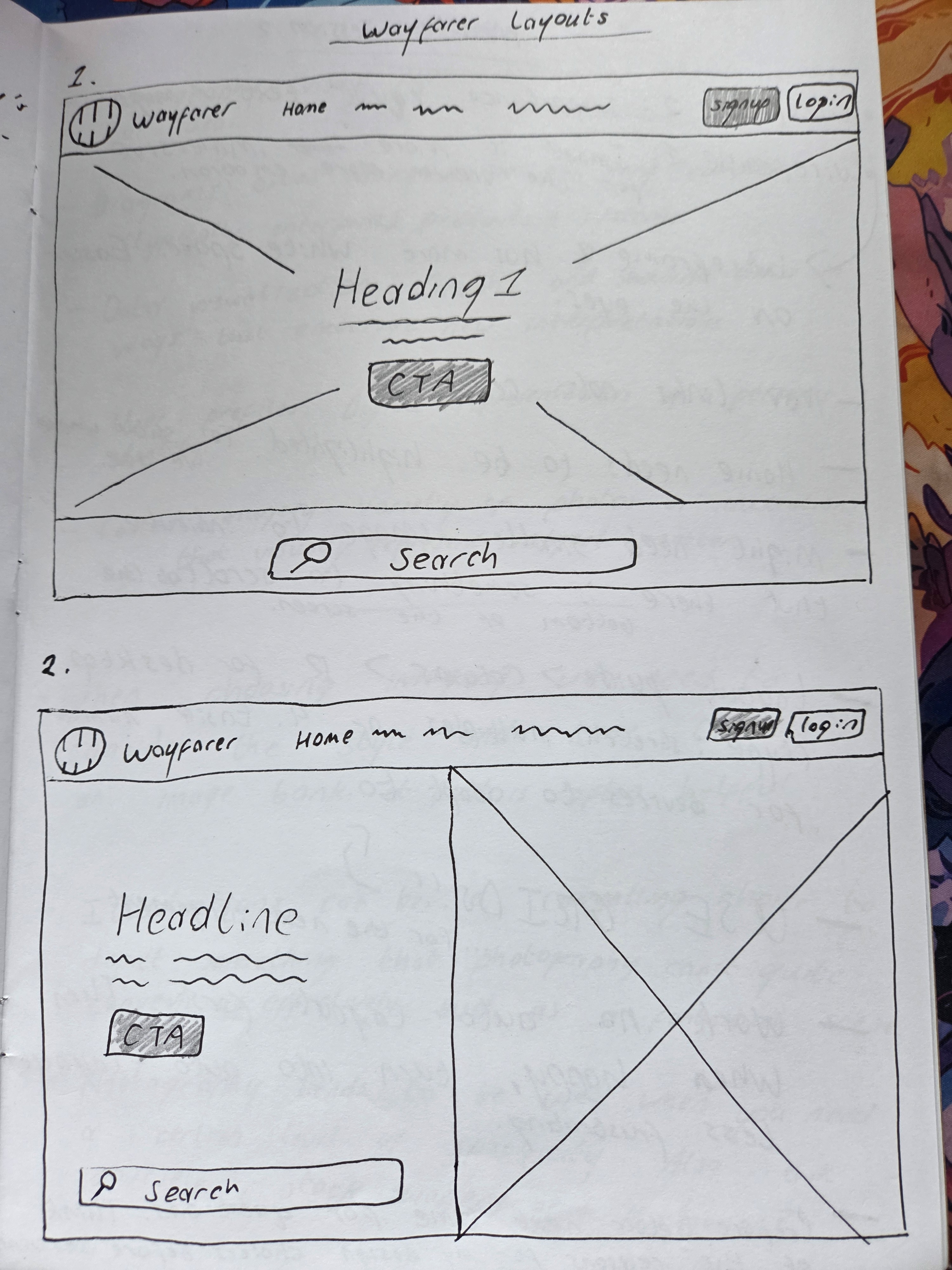
From there, I mapped out the rest of the page structure, including the sign-up form and the sections beyond the hero. I also started thinking about how each layout would appear on different screens.


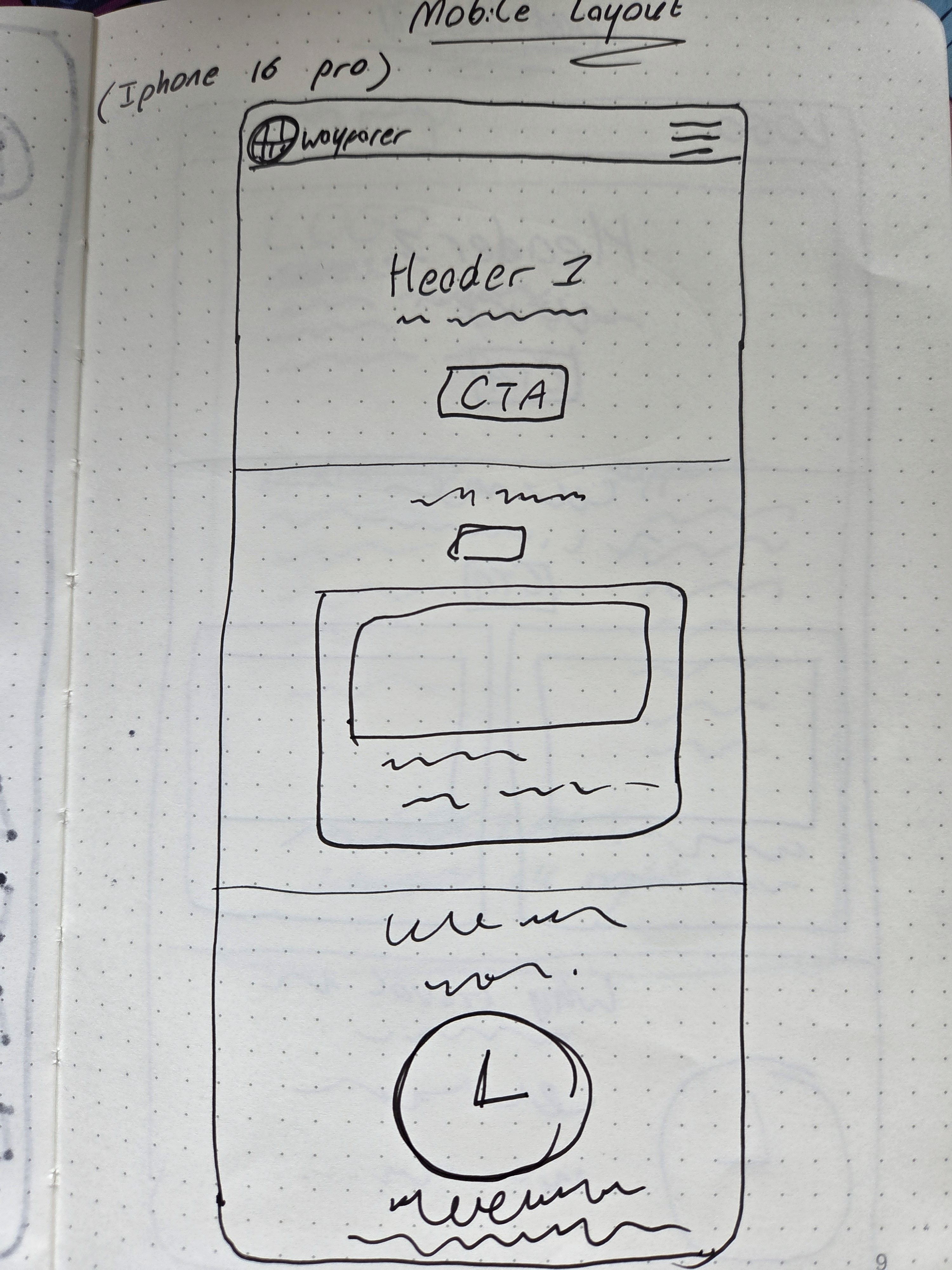
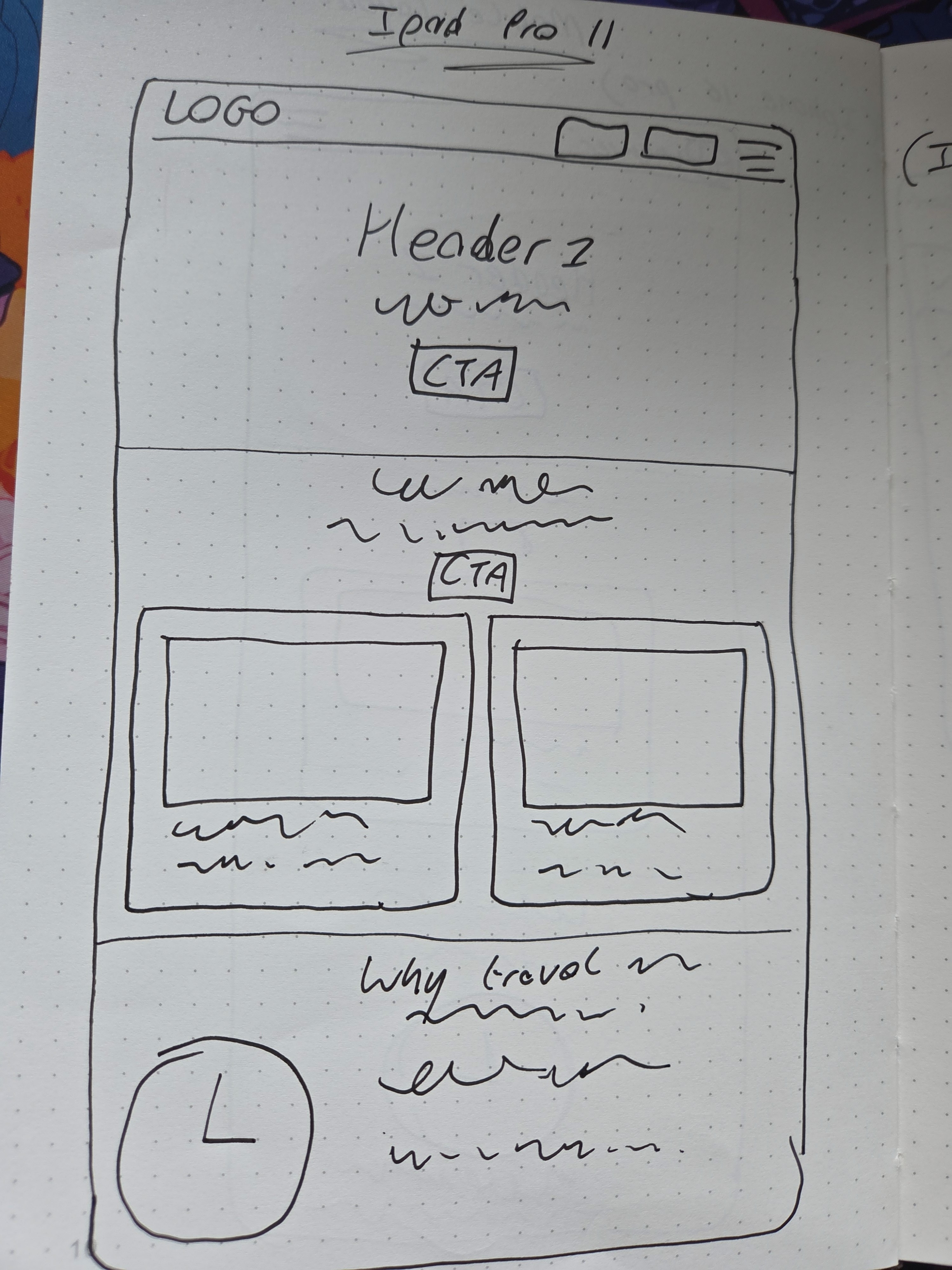


Moving into Figma
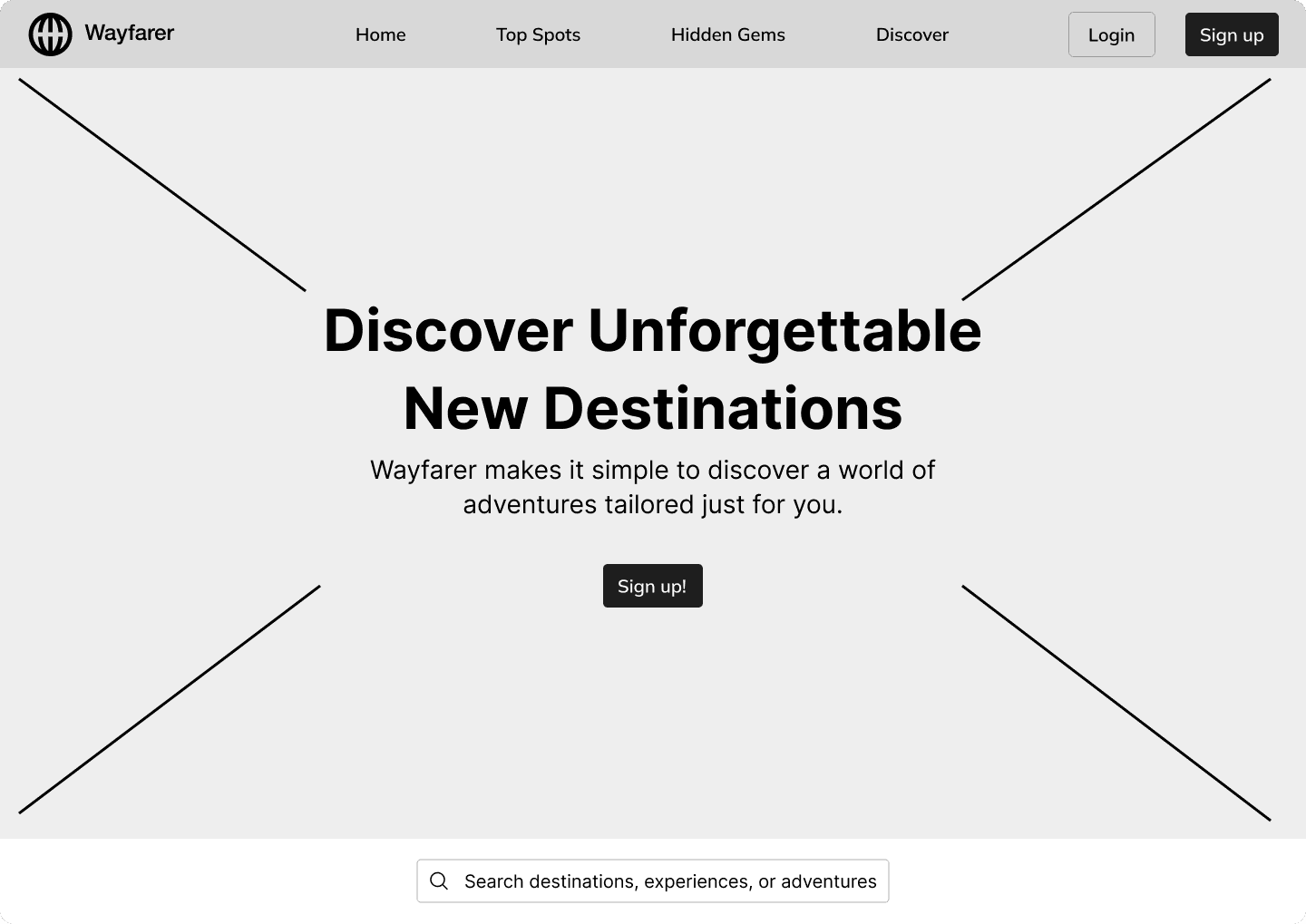
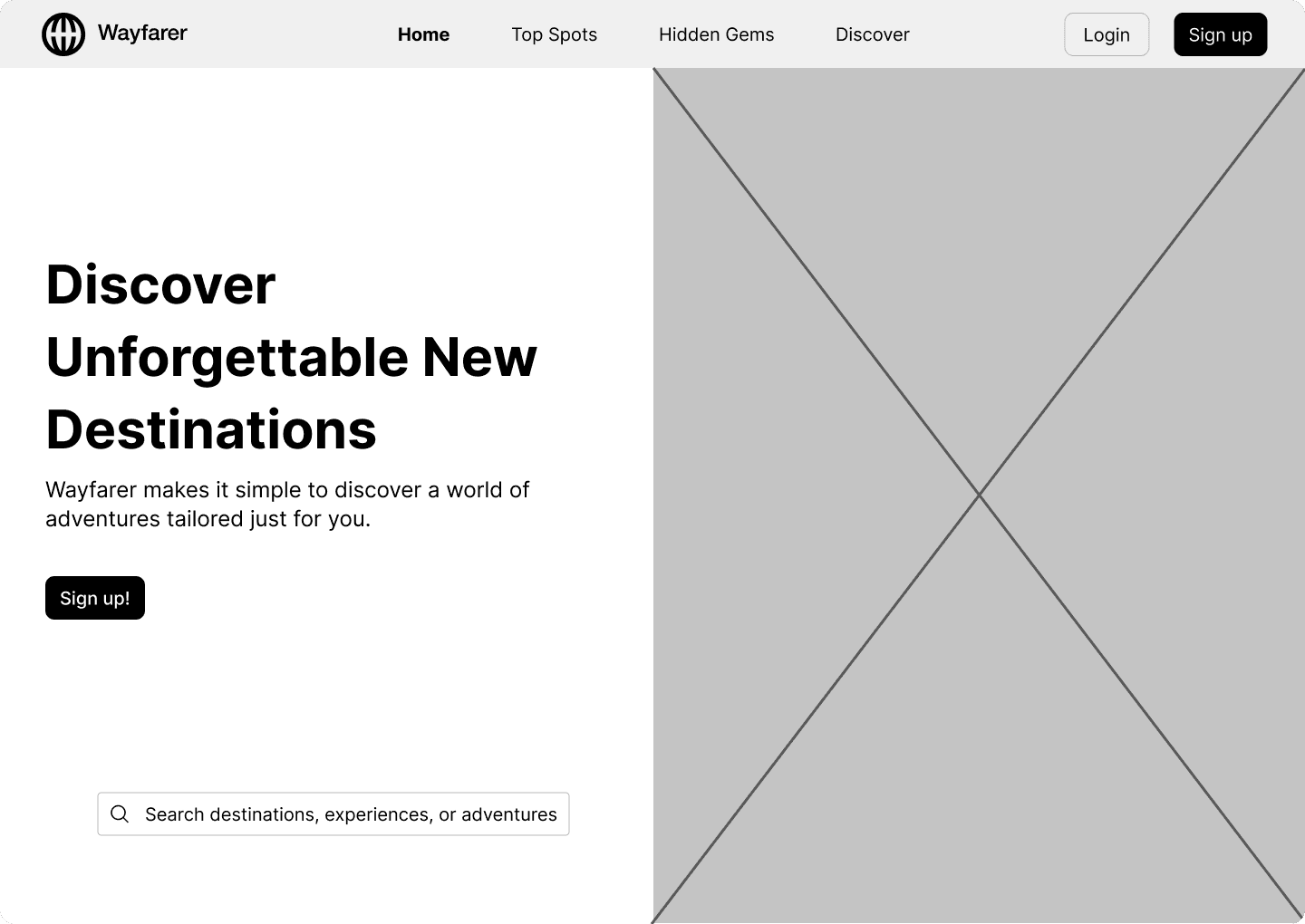
Next, I recreated my chosen sketches in Figma. I started with simple mid-fidelity wireframes so I could focus on establishing a clear site structure without getting distracted by visuals.
Using grid systems and hierarchy, I organised the homepage into clear sections:
Hero section
Destinations
Product benefits
Calls to action
Bringing the Brand to Life
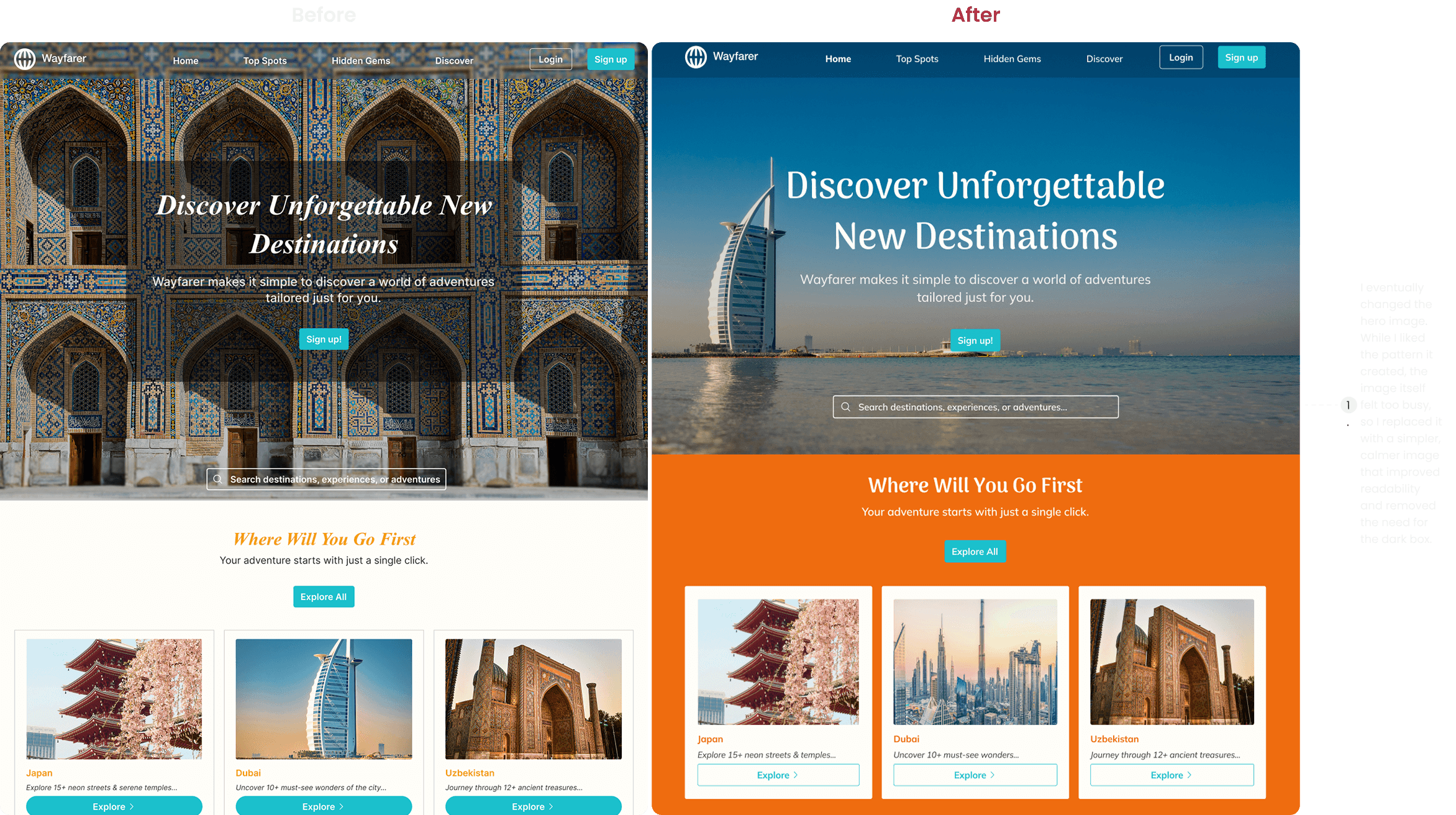
Choosing the Hero Image
Colour
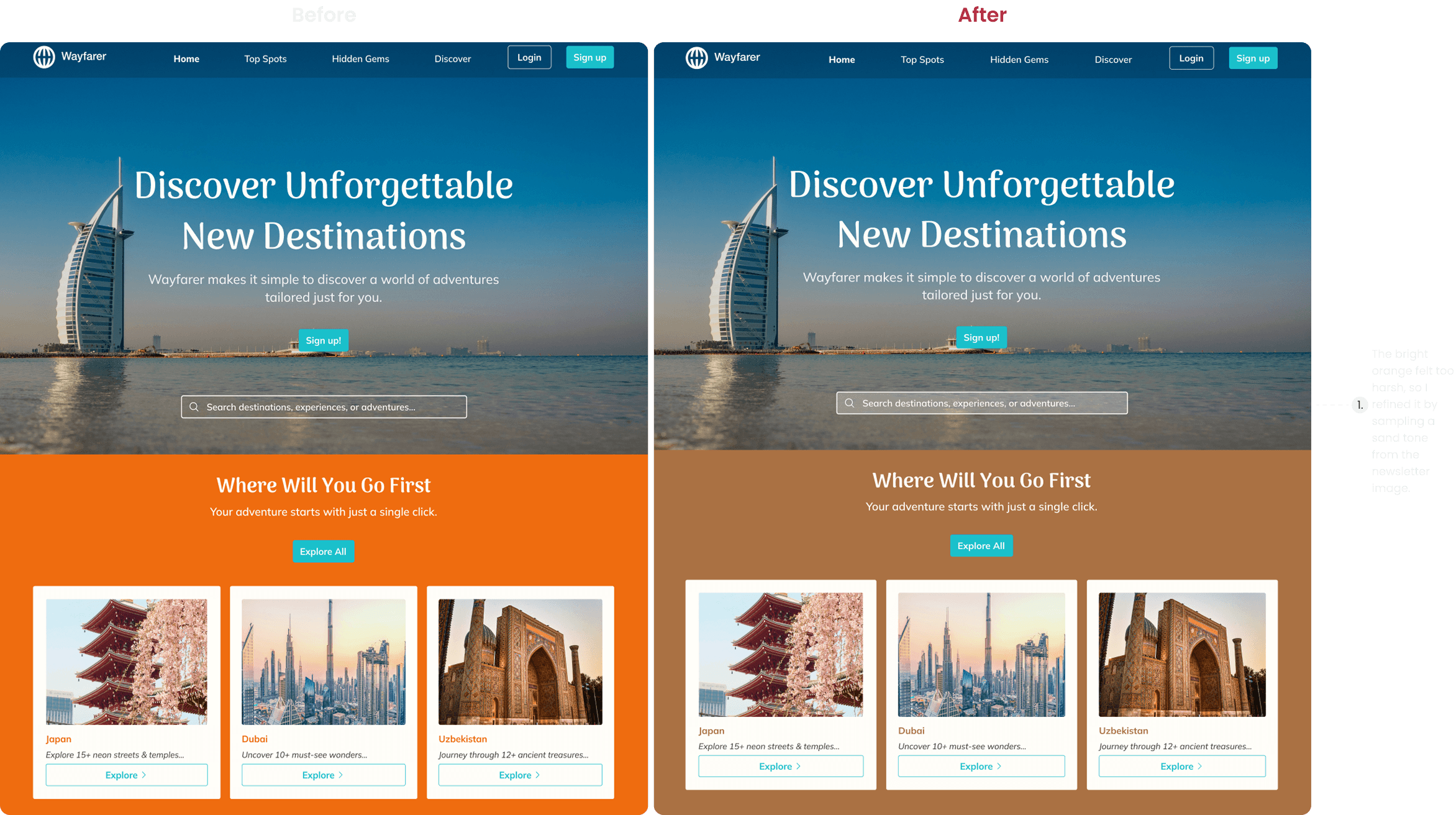
The colour palette was inspired by natural environments, since colours from nature often feel more harmonious to the eye. The final palette was influenced by imagery used in the hero section, combining calming blues with warm, earthy tones.
Typography
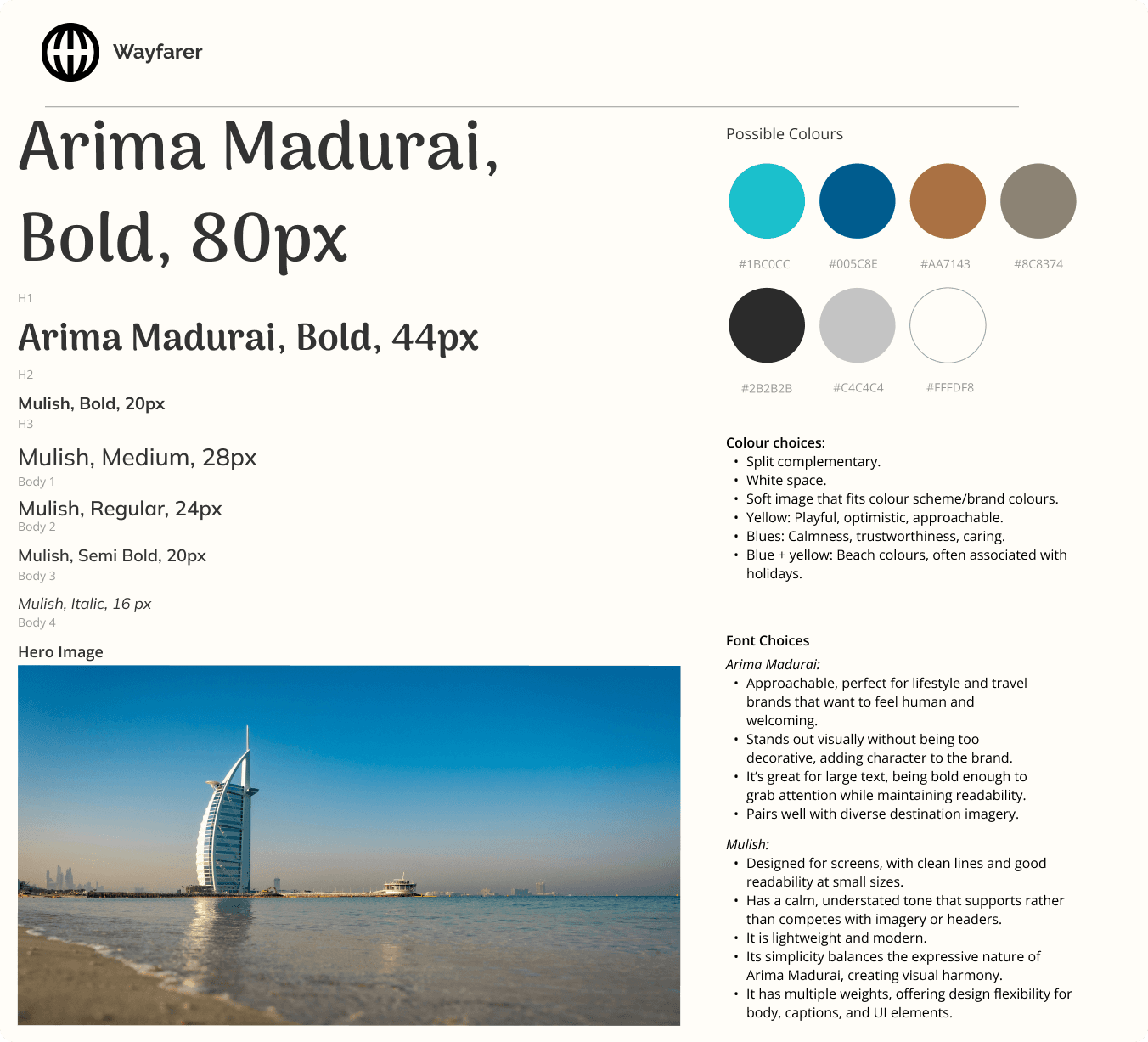
I selected typography that balances readability with personality, ensuring the interface feels approachable while still capturing the adventurous tone of the brand.
Designing Across Every Screen
Because users often browse on mobile devices, it was important that the design worked well across different screen sizes. I created responsive layouts for desktop, tablet, and mobile, adjusting elements to maintain clarity and usability.
Some key changes included:
Replacing navigation links with a hamburger menu on smaller screens
Simplifying the navigation bar on mobile
Stacking content vertically to improve readability
Desktop, Tablet, and Mobile Screens
(Change the page to view the other screens)
The Final Experience
Creating an Account

Looking Back
The Wayfarer project was an important step in my early UX learning journey. It helped me develop practical skills in layout design, visual hierarchy, and responsive interfaces while becoming more comfortable working in Figma. While this project focused primarily on UI design, it gave me valuable experience thinking about how layout, colour, and imagery can shape the way users interact with a product.